

Last updated on July 23rd, 2026 at 07:03 am
Some YouTube creators think that they have a brilliant idea on how to escape on how to escape a YouTube copyright strike.
They upload their videos as ‘Private’.
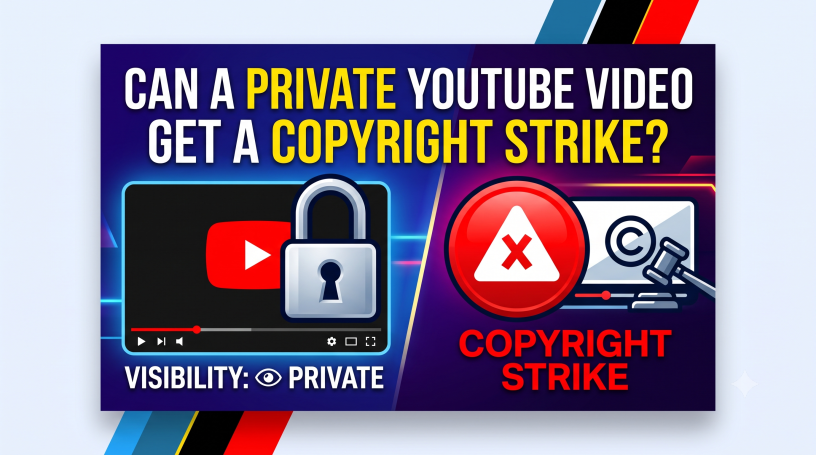
When you upload your video as private, can it stay away from being detected by YouTube’s copyright scanner?
Does ‘private’ mean ‘safe’ when it comes to uploading copyrighted content?
There’s bad news in store if you think so.
Here’s the kicker. YouTube’s automatic copyright detection system still keeps an eye on private videos.
It can sniff out copyright-infringing videos even if they’re hidden from public view.
If you’ve resorted to this tactic or plan to, here’s some news for you.
You may end up with a copyright strike.
This post will discuss a critical loophole about how these takedowns actually work.
Clue: it involves a seven-day “delete to avoid strike” trick most people never hear about.
Before we head there, let’s first talk about what happens behind the scenes when you upload a private video.
If you prefer a quick overview of the topic, watch this video.
Uploading a Private Video
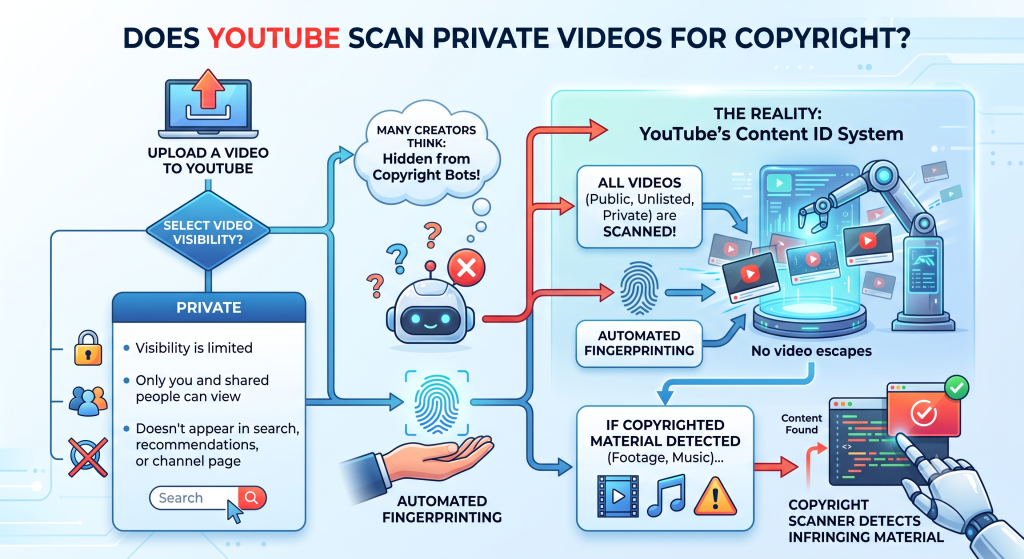
Let’s say you upload a video to YouTube and set it to private. Visibility is limited when you choose this option. Only you and the people you share it with can view the video.
The video won’t show in search results, recommendations, or your channel page
That being so, many creators assume it is hidden from YouTube’s copyright bots.
The fact is, YouTube’s Content ID system doesn’t leave any stone unturned. Every video, whether private, public or unlisted, is scanned for potential copyrighted material.
In short, no video escapes automated fingerprinting.
If you upload a video with copyrighted footage or music, the copyright scanner will detect the infringing material.
Copyrighted Material Detected
So, what happens when copyrighted material is sniffed out?
The copyright owner is given the following options:
He or she can monetize the video you uploaded. In other words, whatever revenue that has been earned and not paid to the uploader will now be paid to the copyright holder. Future earnings will also be channeled to the copyright holder.
The copyright holder can also choose to block the infringing video.
Finally, they can request a takedown.
Here, we must differentiate between a Content ID claim and a Copyright strike.
Content ID Claim
When a video is hit with a Content ID claim, the following may happen:
Ads may appear on the video, and the revenue generated from ot will go to the copyright holder.
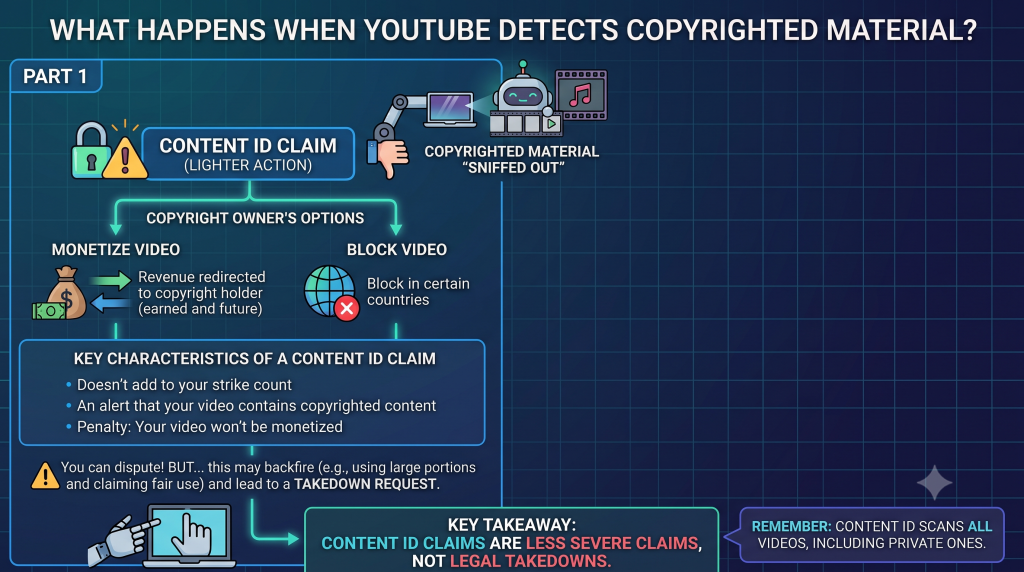
The owner may also block the videos from showing in certain countries.
This is a lighter action compared to a copyright strike.
Copyright Strike
With a strike, the copyright owner requests that YouTube to take down the video. In other words, this is a legal takedown request.
When the copyright owner puts in this request, YouTube deletes the video you uploaded.
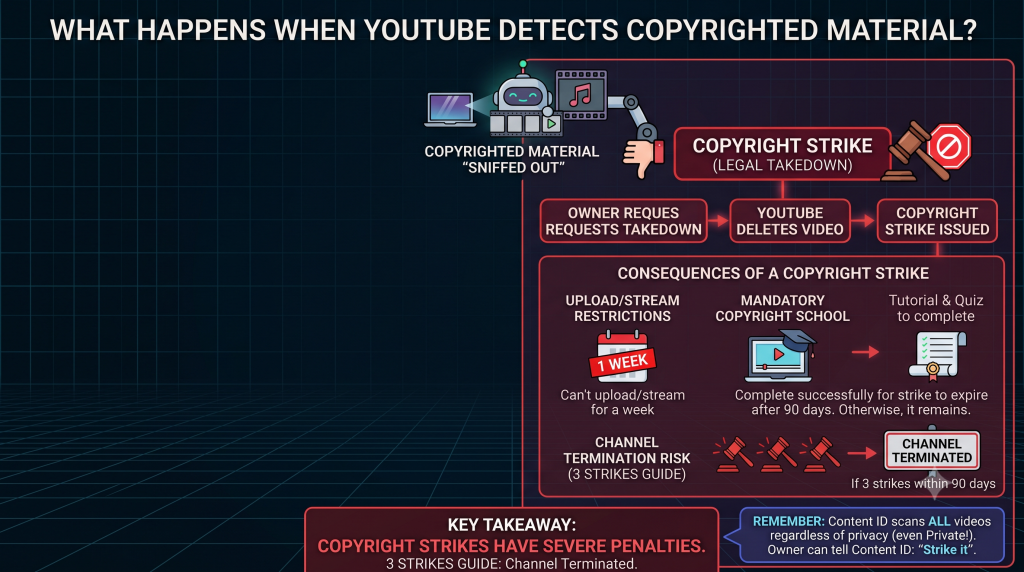
It will then issue a copyright strike against you.
What happens when YouTube slaps you with a strike?
A strike means you can’t upload a video or stream one for a week.
If you accumulate three strikes, then you’re in trouble. YouTube’s guide is clear on this. If you receive three strikes within 90 days, your channel will be terminated.
Also, you have to undergo Copyright School when you’re hit with a strike. There will be a tutorial and a quiz to complete. This is mandatory when you’re hit with the first strike.
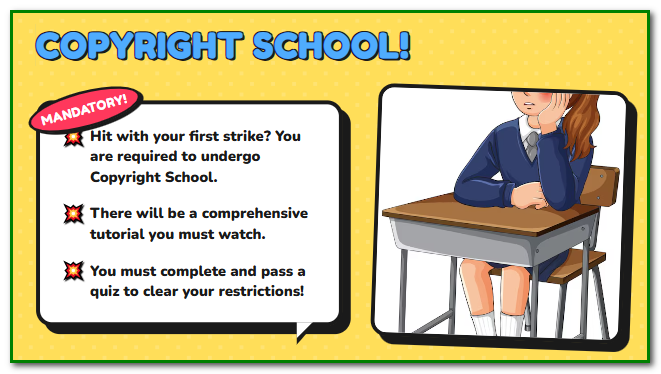
If you complete the Copyright School, the strike will expire after 90 days of your successful completion. Otherwise, it will remain there.
The point to remember is that Content ID claims are not the same as strikes.
They don’t add to your channel’s strike count. It’s just an alert that your video contains copyrighted content.
The penalty would usually be that your video won’t be monetized. Whatever revenue you earn from it will go to the copyright owner, as mentioned earlier.
You can dispute the Content ID claim. However, this may backfire if your dispute fails. For example, using a large portion of a copyrighted video and then claiming fair use.
The copyright holder may then file a takedown request. When this happens, you get a strike, even if your video is private.
As one expert on StackExchange pointed out, “Yes, you can get a strike… Content ID scans all videos regardless of privacy, and it can tell the owner, ‘Hey, there’s a private video with your content – do you want to strike it?
Private Video Copyright Alert
How do you know when a private video has triggered a copyright claim?
You’ll get an email from YouTube (from no-reply@youtube.com). It will be sent to the email that you use with your YouTube account.
There will also be a notification in YouTube Studio.
Which part of YouTube can you find the copyright alert in? If your video was private and got a strike, it will be listed under “Restrictions” in your Content tab.
You should see a notice like “Copyright removal” and an option to review issues.
When that happens, YouTube will also tell you why. It lists the claimant and timestamp. You can then address it. For a claim, you could just leave it or dispute if you have a fair use excuse.
For a strike, your options are to contact the claimant to retract or file a counter-notice if you believe it was a mistake.
Can I Remove a Strike by Deleting the Video?
Is there an easy way out by deleting the infringing private video? No, there isn’t.
Unless you complete the Copyright School, the strike will remain on your account.
There’s an exception, though. If the copyright owner scheduled a takedown, you’re given a 7-day window to remove the video. If you do that, you’ll not be subject to a strike.
Preventive Measure
Are you using a video or audio clip that doesn’t belong to you? Here’s what to do to prevent a copyright claim or strike.
Upload the video as private. This is to test the video. Check whether YouTube clears it during the uploading process.
If there are any claims or issues, you’ll be notified. You can then stop publishing it.
Audio clips can easily get detected by YouTube Studio’s Content ID system. I’ve used stock audio from Camtasia Studio, which has had no copyright issues for years. Lately, a company claimed that the copyright of the music clip belonged to them.
I didn’t want to dispute the claim. Instead, I replaced the clip with one from the YouTube Audio Library. I no longer trust royalty-free audio clips, because you don’t know when copyright will be transferred to another company.
Always remember that private videos can’t escape YouTube’s copyright detection scanner. They undergo the same upload process as other video types.
So, take note of the above so that you don’t run into any copyright issues relating to a private video.
Watch the video below to refresh your knowledge on the subject.
