


Last updated on January 29th, 2026 at 10:00 am
Music is essential for video content creation. Using the right music goes a long way toward helping your video capture attention and evoke emotions.
Studies have also proven that it boosts viewer engagement and retention.
Just imagine a video without music. Videos often feel lifeless and rarely elicit the desired response from audiences.
These days, most content on platforms like YouTube and TikTok uses proper audio to transform ordinary visuals into a memorable viewing experience.
Copyrighted Music
Time was when content creators used popular copyrighted music on their videos. This was especially so on platforms like YouTube.
However, when YouTube launched its Content ID system in 2007, such use was a no-win situation for video creators.
The ID system resulted in automated claims, blocks, or revenue loss. Of course, some creators chose to rely on the fair use loophole. However, this was not a reliable safety net.
Only in limited instances did creators get away with the fair use defence.
The only safe way to use copyrighted material was to get the licensing rights from the owners. This, more often than not, resulted in high fees that video creators couldn’t afford.
Stock Music
Many video creators found a way out of this conundrum by using royalty-free stock audio.
Of course, this alternative protected the creator from copyright strikes. But then this route was not without its drawbacks. Cost is one thing. More than that, the music was generic.
You don’t always get the music you prefer for your content. There’s also no exclusivity when using stock music. If you are using music for branding purposes, you’ll soon discover that hundreds, if not thousands, of other creators use the same audio clips as you do.
Based on my experience, the royalty-free music you purchase isn’t entirely free of copyright claims. Even when you have the license to use stock music, there are sometimes copyright claims. This happens when another company takes over the license or a content creator withdraws their content from a platform and takes it to another.
So, unless you pay someone to create original music for your brand, there’s very little you can do to use audio to enhance your content.
This, of course, was until the emergence of AI music.
AI Music
AI music puts the power of music creation into the hands of ordinary video creators.
For one, you are protected from copyright claims. It also addressed the generic nature of stock music.
The best part is that video creators don’t need any music-making skills to use this new tool.
Time and cost are saved. Of course, the best part is that you can tailor the music to your needs or taste.
If there is one way you can be creative with music without learning music, it’s through an AI music tool. You can, within minutes, create music in any genre you prefer to suit the mood of your content, whether for fun or professional use.
In short, AI music tools democratise music-making, opening up a new world for creating educational content, games, or podcasts.
AI music frees you from technical hurdles. You don’t have to learn complex software. You can focus on your visuals and storytelling rather than spending time on navigating audio production.
One AI music tool that offers you the above-mentioned advantages is MusicCreator AI.
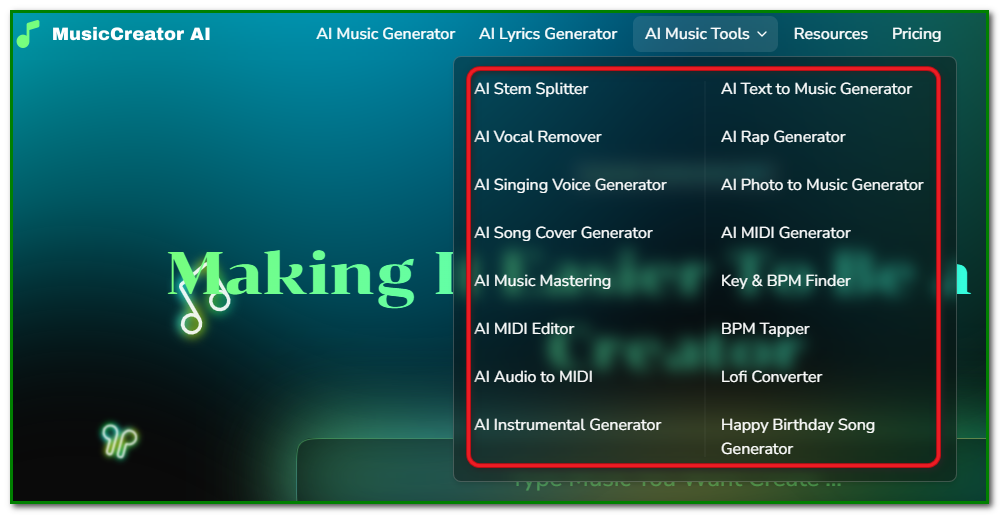
What Can You Do With MusicCreator AI?
MusicCreator AI is a complete audio production suite that serves the needs of beginning low-budget content creators. Especially those with little or no audio production skills.
As mentioned earlier, you don’t need to learn complex software. Start with a prompt, a photo or story idea, or lyrics. And within minutes, you can generate original royalty-free music to use on your YouTube videos, podcasts or even feature films.
Main Features of MusicCreator AI
If you’re new to AI music creation, here’s a general idea of what you can do with this versatile tool.
AI Music Generator
With AI Music Generator, you can start with a prompt or your own lyrics.
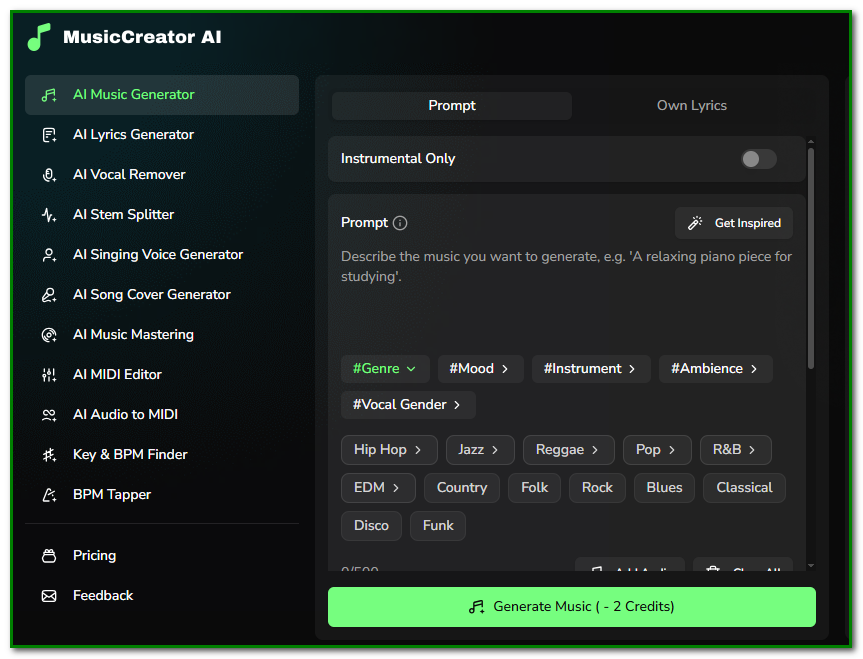
After entering the prompt, you can choose your genre, mood, instrument and ambience.
Genre selection ranges from jazz, rock, blues and funk, among others, as shown in the screenshot above.
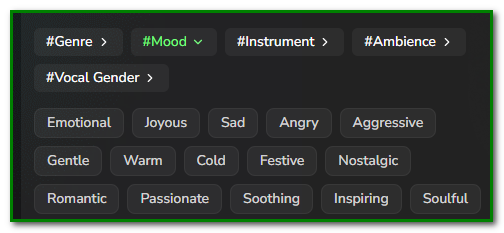
Under Mood, you can choose from joyous, sad, nostalgic and inspiring.
Transforms text prompts, ideas, or descriptions into full tracks with vocals, instruments, and structure in seconds, supporting genres like EDM, pop, or lo-fi.
AI Lyrics Generator
The tool can also write song lyrics for you if you aren’t in a position to write one.
All you have to do is enter a prompt that suits your needs.
For example, I entered this prompt: Write me lyrics about nostalgia for college life, missing friendships, fun moments, and the exploration of new experiences.
Upon entering your prompt, you can customise the lyrics output based on your preferred mood, structure, style and language.
Be specific when you enter the prompt. You can single out the details you want included.
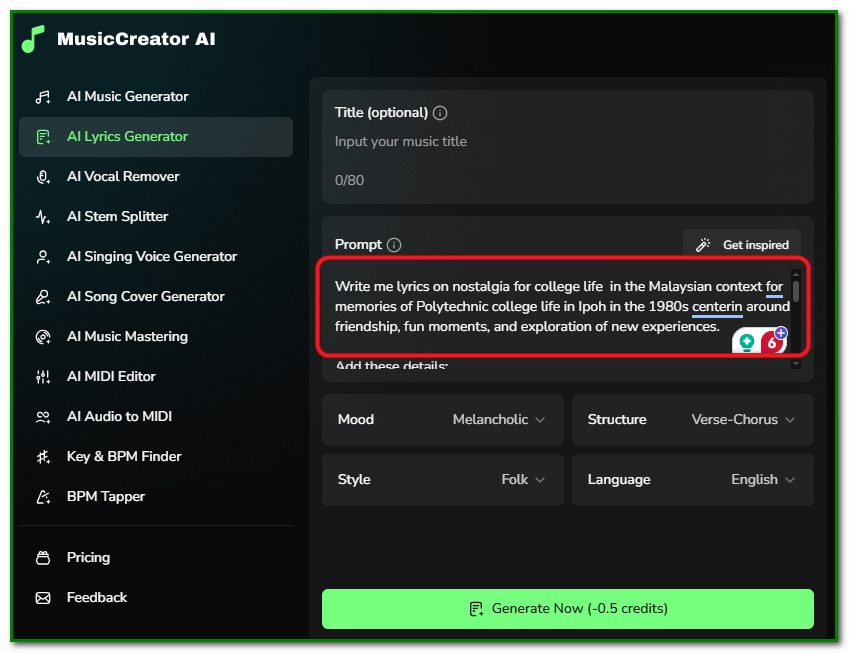
For example, I included the following details in the main generic prompt:
- cinema shows
- lecture rooms
- no time for library studies
I was impressed at the speed at which the lyrics were created. It took no more than 15 seconds.
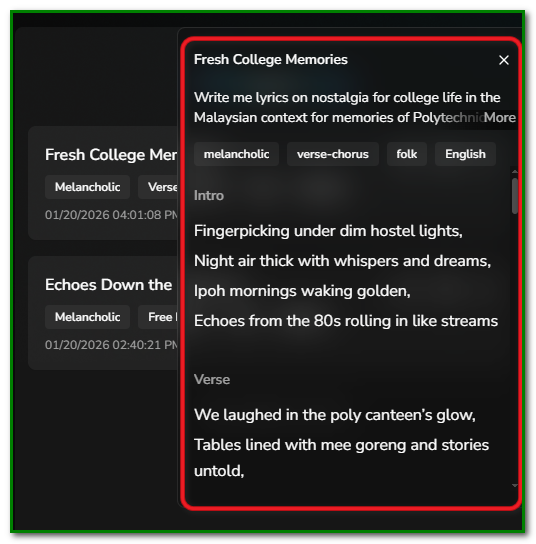
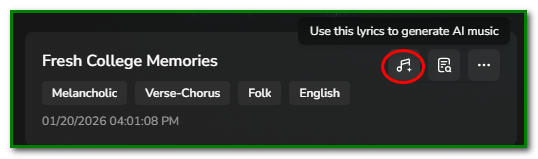
Once the lyrics are generated, you can click on the music note icon to generate music as shown below.
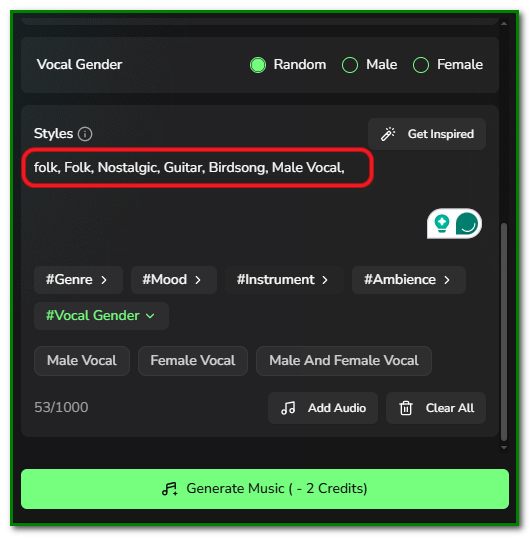
From then on, the steps will be the same as in the AI Music Generator module. The screenshot below shows an example of the styles I chose.
AI Vocal Remover
The vocal remover tool is useful if you want to remove vocals from a song, leaving only the instrumental part.
This is useful if you want to create karaoke tracks or listen just to the instrumental part.
All you need to do is upload an audio clip that has vocals and an instrumental. Then hit the Remove Vocals.
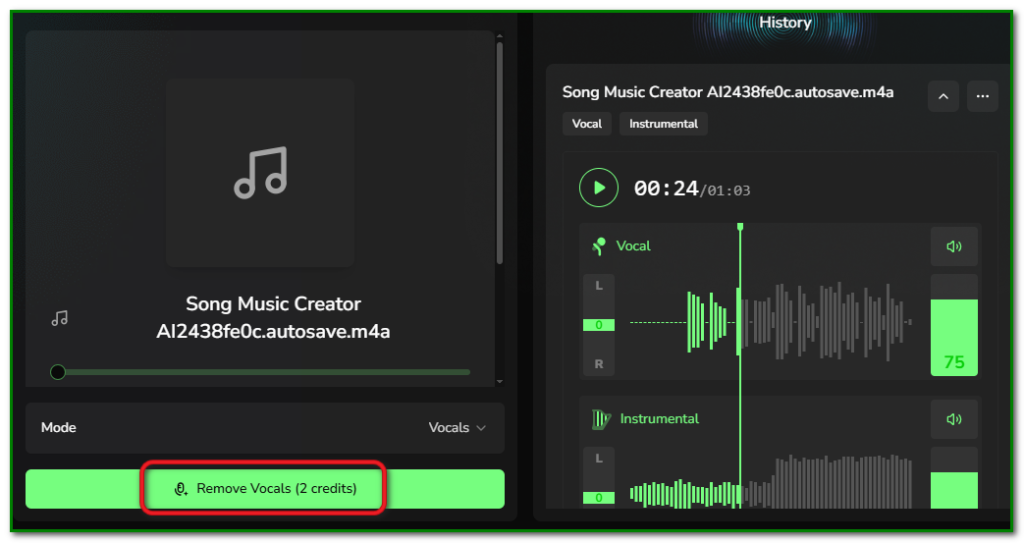
Your clip will be processed with the vocal removed.
Other Features
Here is an overview of the other tools within MusicCreator AI.
Text to Music
This tool takes your written thoughts and prompts into captivating music. It creates complete tracks that align with your specified genre and mood without requiring instruments or musical skills.
You may have vocals or opt for instrumental only.
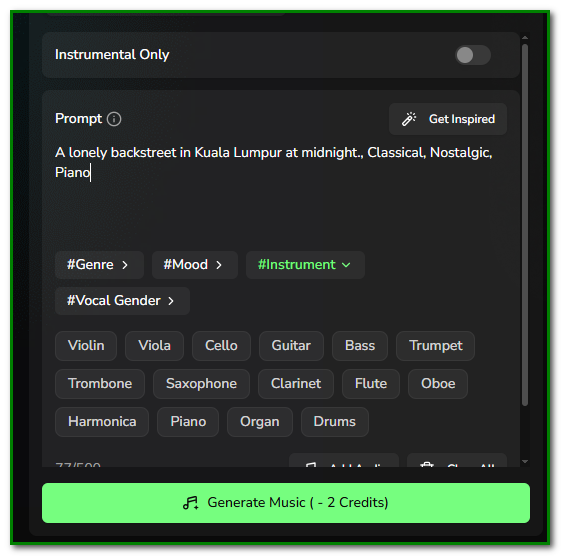
Within minutes, a piece of music according to your preference will be generated as shown below.
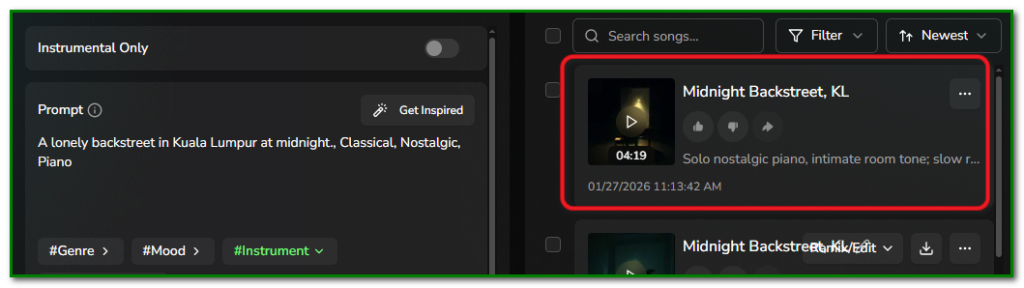
Photo to Music
This sounds too good to be true. But not when you see the results.
So, how does this tool work?
You upload a photo and give it a description – a situation, a mood or an emotion.
The AI engine then goes to work. It analyses the image to generate a unique soundtrack that reflects the photo’s hidden mood. The tool then spits out lyrics for a song.
From there, you can go on to generate music.
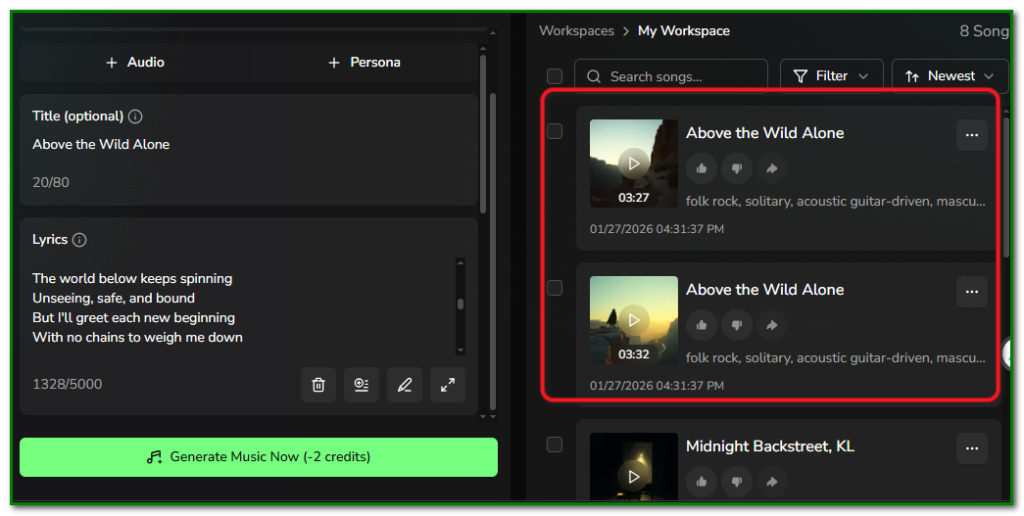
This is definitely a fun feature to play around with. It’s certainly handy for creating personal albums and bringing visual memories to life.
We tested it with an image of a lone wolf standing at the edge of a cliff. The result was an impressive song titled “Above the Wild Alone.”
Text to Rap Music (AI Rap Generator)
If you’re into rap, this tool will not fail to delight you. It will convert your words into dynamic rap songs.
You don’t have to worry about flow, rhythm, and beat. The system automatically handles them. This feature allows you to generate full rap tracks with specific emotions. It saves you the trouble of creating perfect rhymes yourself.
AI Song Cover Generator
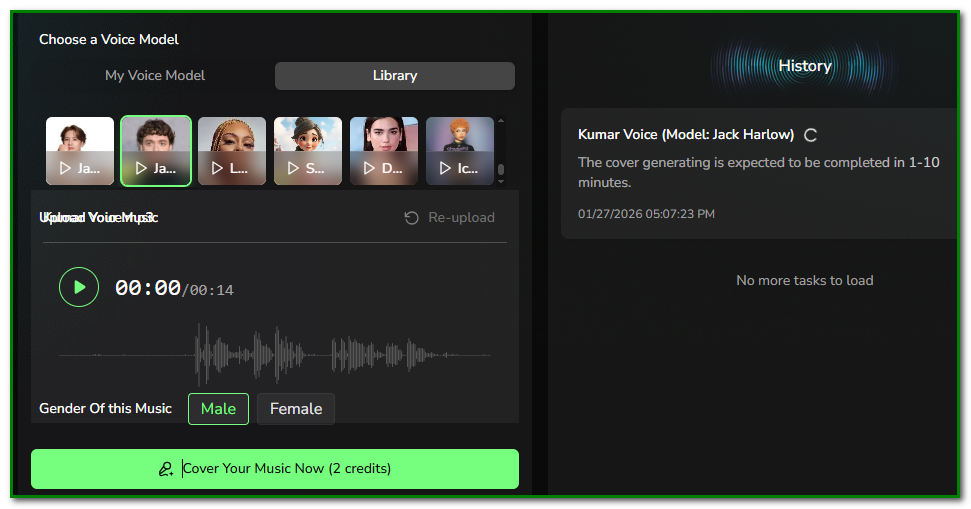
This tool transforms an existing song to match a unique voice. This tool allows users to experience performing a song without needing singing training or skills.
Upload your voice and choose a song from your favourite singer. The tool goes to work, creating the song in your own voice. How cool is that?
AI MIDI Editor
This music serves as an exciting audio playground. This is where you can create music step by step by drawing notes or changing instruments. What’s more, you can even generate new MIDI files from prompts to adjust melodies.
AI Instrumental Generator
Tired of using generic stock background music (BGM) for your projects? It’s time to create your own exciting BGM.
This tool allows you to create copyright-free background music and scores. A handy tool for YouTubers or budget filmmakers. It goes a long way toward helping you avoid copyright strikes..
Lofi Converter
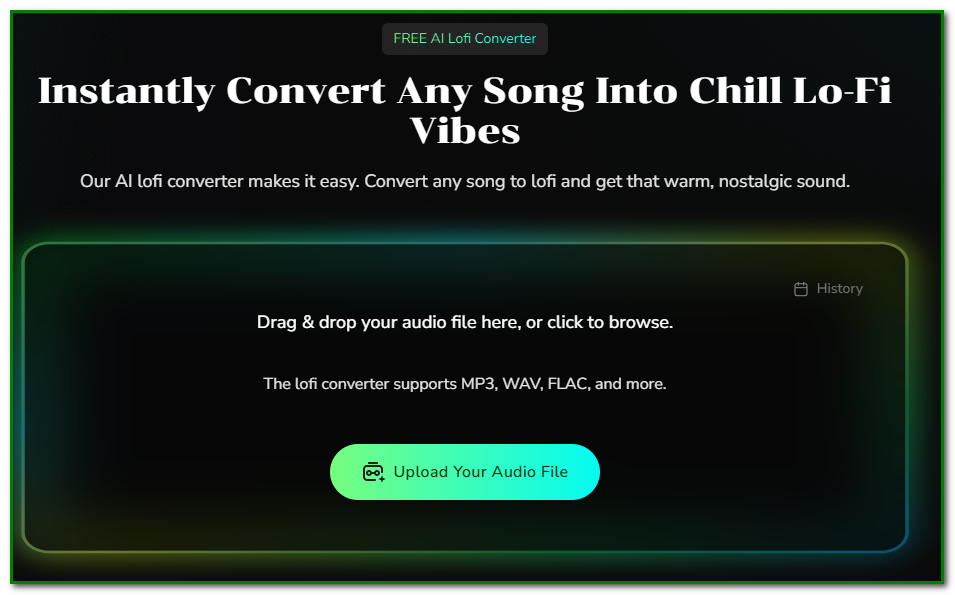
Want to go easy on your music. Go Lofi. This tool instantly transforms your tracks into a retro, relaxing feel.
Audio to MIDI
Convert audio tracks into MIDI notes, enabling you to manipulate the musical data of an existing recording. MIDI conversion has never been easier and faster!
Key & BPM Finder / BPM Tapper
Get precise control over a track’s technical details, allowing you to master the mix by identifying and adjusting the tempo and key.
AI Music Mastering
This tool is designed to help you master your mix for a professional sound. You get music sounds “polished” and “fully-produced” without needing complex external software.
More Tools
There are more exciting ‘hidden’ audio tools to explore if you care to check out the official MusicCreator AI website.
Pricing
By now, you should be impressed with what MusicCreator AI has to offer. But how much would it set you back to get your hands on these versatile tools?
There’s good news. There’s a free plan, not a time-limited free trial offered.
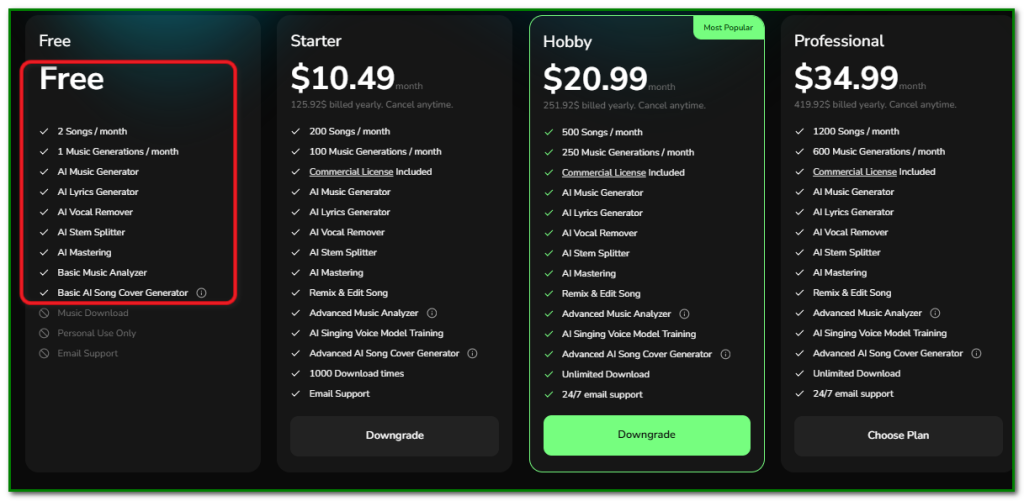
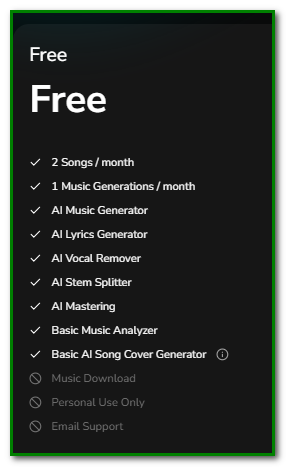
The free plan lets you test the platform’s main tools before committing to a paid plan.
You can create 2 songs and a single music generation a month at no cost.
What are you waiting for? Go ahead and give MusicCreator AI a try to harness your musical ideas under a single roof.
