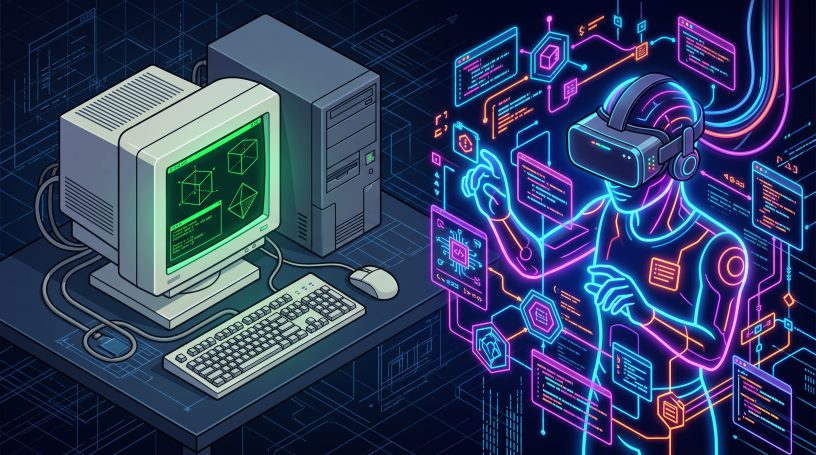



Discover how early 3D chatrooms evolved into the powerful Resonite engine. Learn the history of virtual worlds and why creators are switching today.
You put on your VR headset. The real world vanishes. Suddenly, you are standing in a glowing digital city.
The next thing you know, you’re talking to people from across the globe.
In real-time, that is
The time is nigh to understand how these virtual worlds evolved. Otherwise, you’re going to miss the boat.
You might throw hundreds of hours down the drain, learning dead platforms or clunky tools. You will lose precious time and money while others gleefully build the future.
First things first. Are you wondering how we got from simple typing screens to massive virtual universes?
In this guide, I will lay out the exact fascinating journey quickly and simply. We’ll set the ball rolling with the first 3D chatrooms and go all the way to the powerful Resonite engine.
The history of 3D chatrooms dates back to the 1990s. Back then, they had to make do with basic shapes and typed text on computer screens. Just imagine!
Over the decades, these spaces evolved into immersive VR platforms like VRChat.
Today, the Resonite engine represents the future. It offers an all-in-one system. Users code and build massive worlds entirely within virtual reality.
The Evolution of 3D Worlds Explained
What is a 3D chatroom?
How did it grow into a virtual universe?
Think of it like building a house. In the early 90s, you only had a few simple wooden blocks. You could stack them up and talk to a friend. But the house was small, blocky, and completely silent.
As technology improved, those wooden blocks were replaced by real bricks and concrete.
Platforms like Second Life and VRChat gave you complex tools. But you still had to build the house outside in a separate factory.
You used software on your computer to build objects. Then you imported the finished product into the game.
Today, the Resonite engine flips that entire process on its head. You no longer need the outside factory.
You and your friends can stand in the empty lot together and build the entire house from the inside out.
This matters right now because creators are shifting away from rigid game engines. It makes sense.
If you want to make interactive videos or build digital communities, you need tools that let you create instantly.
The future belongs to people who can build and code while wearing a headset.
Let’s now take a look at the evolution of 3D worlds.
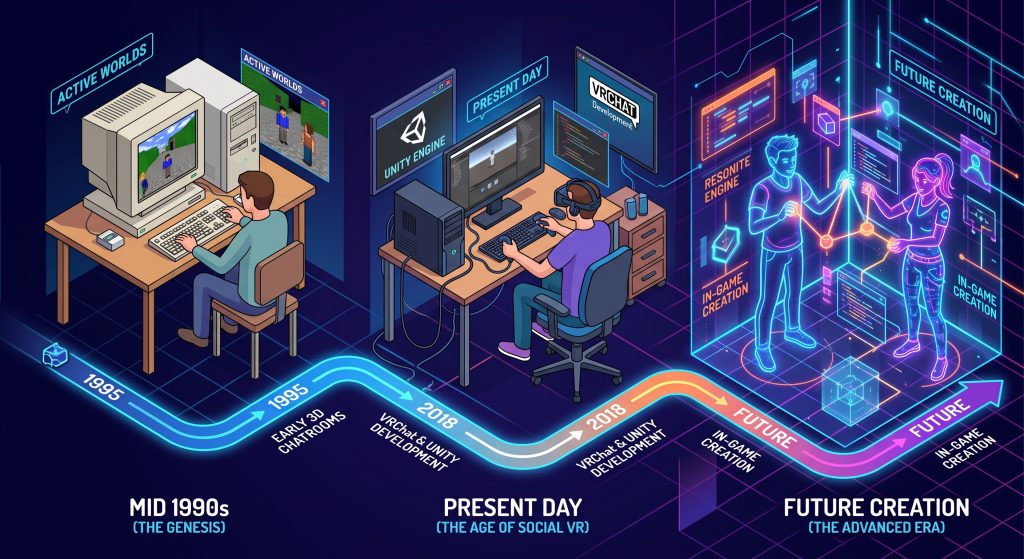
The 90s Era (Active Worlds)
You stared at a heavy, flat computer screen. You could only see basic 3D shapes. If you wanted to talk to someone, you had to type your words on a keyboard.
The Desktop Era (Second Life)
You gained the power to create custom avatars. You could even build a digital economy. However, the immersion was still trapped behind your monitor while you clicked a mouse.
The VRChat Era
You finally stepped inside the digital world using a VR headset. But there was a huge catch. You had to build everything in a complicated PC program first before you could actually use it.
The Resonite Era
You no longer need outside software. You use glowing digital nodes to code and build massive 3D worlds. You do it entirely inside the headset with your bare virtual hands.
VRChat vs. Resonite Engine Breakdown
| Feature | VRChat | Resonite Engine |
| Building Method | Build externally in Unity, then upload | Build and code directly inside VR |
| Gear Needed | Mid-range PC and basic VR headset | High-end PC (RTX 2070 or better) |
| Avatars | Hard to attach custom logic and menus | Easy to attach logic in-game with nodes |
| Best For | Casual socializing and large events | Complex building, coding, and creating |
| File Storage | Stored on local PC before upload | Cloud inventory system for instant spawning |
| Export Quality | Locked into the game engine | Easy to pull assets in and out |
So, which platform wins for beginners?
Are you just starting out? Do you only want to hang out with massive crowds of people?
Then VRChat is your best bet. It is the market leader with millions of casual users.
You do not need a powerful computer to run it. You can jump right into endless pre-made worlds. You don’t even have to think about how they were built.
The scenario changes if you are a creator, a videophile, or a tech enthusiast. Resonite wins the future. Resonite uses a unique hybrid engine setup.
You don’t have to close the game to fix a broken script on your avatar. You just have to pull out a digital tool.
Look at the code floating in the air. Fix it right there with your virtual hands.
For professional content creators, this real-time creation changes everything.
Drag a video file directly from your Windows desktop. Drop it right into the virtual room.
For example, you can build a custom flying vehicle from scratch and save it to your cloud inventory.
When you want to pull that vehicle out later, you just open your menu and spawn it instantly.
The Biggest Mistakes You Can Make
Mistake 1: Trying to learn Unity just to play with friends.
When I first tried building for VRChat, I hit a wall. I had a cool idea, but I spent two days learning Unity. When I finally clicked ‘Upload’, the whole screen went red. I spent another four hours searching YouTube just to fix a single error. It was so frustrating that I almost gave up on building completely.
If your goal is collaborative building, stop forcing yourself to learn external game engines. There is an easier way.
Download Resonite instead. It has a visual programming language where you literally connect glowing wires together to make things work while your friends help you in real-time.
. Mistake 2: Buying a cheap PC for modern VR.
If you try to run advanced engines like Resonite on a budget laptop, your headset will lag. The frame rate will drop instantly. You will get massive motion sickness. The game will likely crash before you even finish loading the tutorial world.
To fix this, check your hardware specs before you start. You need a dedicated graphics card.
Aim for an RTX 2070 or equivalent as a baseline for Resonite. If your computer cannot handle that, stick to VRChat or simple desktop modes.
Mistake 3: Storing your digital assets poorly.
In older platforms, if you build a cool custom camera, you have to dig through messy computer folders to find it again. If your hard drive crashes, you lose all your custom creations forever.
The simple fix is to use Resonite’s built-in cloud inventory system. Every time you build something, save it directly to your cloud folder inside the game. This seamless system lets you instantly pull your items out in any world you visit.
What You Should Do Next
The leap from early text chatrooms to the Resonite engine completely changed how we connect online. You no longer just visit virtual worlds. You now have the power to build them with your bare hands from the inside out.
Your next step is simple. Go to Steam, check your PC specs, and download Resonite for free. Put on your headset, enter a beginner lobby, and try dragging a simple 3D object from your inventory into the world.
FAQ
Is the Resonite engine free to use?
Yes. You can download and play the base game completely for free on Steam. You have access to all the building tools and node-based coding systems right away. You only need to pay if you want extra server storage space to hold massive amounts of cloud assets.
Do I need a VR headset to play this?
No. You can play Resonite on a standard desktop computer using a mouse and keyboard. The desktop mode works seamlessly, allowing you to explore and build. However, using a VR headset gives you physical hands in the game, which makes building and coding much faster.
How does Resonite handle custom avatars?
Resonite makes custom avatars incredibly easy compared to older platforms. You can import standard 3D models directly into the game while playing. The game supports full body tracking, eye tracking, and face tracking automatically, without forcing you to use complex external software setups.